Why Your Next Network Lab Might Be Built by an AI Agent
I've lost a lot of hours dragging virtual routers around the CML canvas. Building a decent-sized topology by hand eats half a day before you've typed a single line of config, and that setup time has quietly become the bottleneck for prototyping anything.
The Model Context Protocol (MCP) changes the math. It gives an LLM like Claude a direct line to the Cisco Modeling Labs API, so you describe the lab you want and the agent builds it. Cisco Distinguished Engineer Joe Clarke demoed this in a recent Learn with Cisco session, and I've been running the same pattern in my own lab. This post is half his demo, half my scar tissue.
You probably don't need to build the server anymore
Worth saying up front, because most of the early write-ups predate it: as of CML 2.10 there's a first-party MCP server, cml-mcp, built on FastMCP and installable from PyPI. Mine exposes roughly 70 tools covering lab lifecycle, nodes, links, annotations, console logs, packet capture, even user and group admin. Point Claude Desktop, Claude Code, or LM Studio at it and go. It's still a great reference for how these servers get built, but the build-it-yourself era for the basics is over.
Natural language is a real interface
Ask the agent "how many nodes can I run right now?" and it doesn't just quote the license. In Joe's demo it pulled system info and licensing separately and reported that the license allowed 520 nodes but CPU and memory capped the practical number far lower. Ask for "a lab with two routers, an unmanaged switch, and an external connector" and it resolves the node definitions and image IDs itself. No hunting through dropdowns.
My favorite moment from the demo: Joe asked for "a green box" around the OSPF nodes. The CML API has no box, it has rectangle annotations. The agent mapped the intent to the right tool, made it green, and then added an "OSPF Area 0" text label inside without being asked, on the reasoning that an unlabeled box is a half-finished diagram. That's not scripting. That's judgment, at least the junior-engineer grade of it.
The agentic part is the observing, not the executing
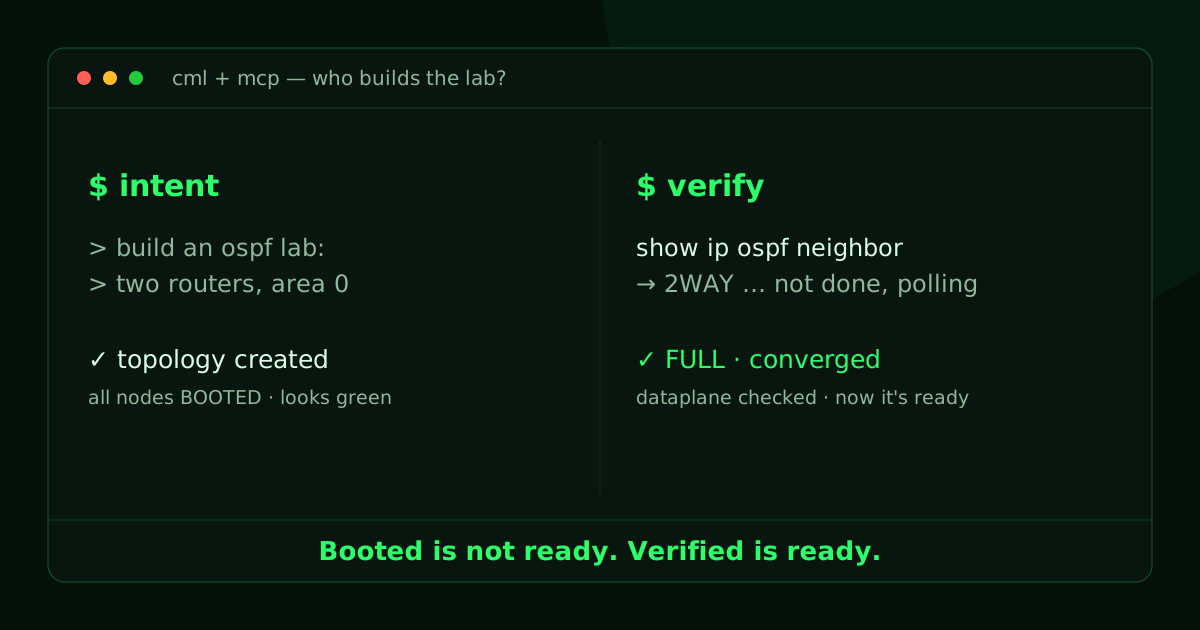
A script pushes config and exits. An agent pushes config and then checks its work. Joe's OSPF example: apply the config, run show ip ospf neighbor through pyATS, see a 2WAY state, recognize the adjacency hasn't converged, poll again, confirm FULL, then report done.
My lab forced me to take that idea further. My main use case is demo automation for a config-validation tool we built for a customer's Catalyst 3850 to 9200L refresh: the agent spins up a Cat9k topology in CML, waits for it to be ready, captures sanitized show output that looks exactly like it came from a real maintenance window, runs the analysis, and resets the lab to clean for the next run.
The hard lesson was the word "ready." All nodes reporting BOOTED in the controller means almost nothing. Process-up is not converged. I gate on the dataplane instead: MAC tables populated, ARP resolved, adjacencies actually FULL, verified over the console. The UI will show you a green lab long before the lab can tell you the truth.
Things the agent can't see
Two silent failures from my lab worth passing along, because the agent hit both and neither one throws an error:
The cat9000v interface trap. Build a cat9000v-uadp node through the API with default interfaces and CML pads you out to nine ports. The image's own definition expects 24, and with only eight dataplane NICs backed, the UADP dataplane manager hangs silently. The node shows booted; the switch never forwards a frame. Drag the same node out in the GUI and you get all 24 ports, so you'll never reproduce it by hand. The fix is to create all 24 interfaces explicitly in the API call.
Upgrades rotate the controller's SSH host key. After my 2.10 upgrade, pyATS console capture died with host-key errors while the web console kept working fine. The lab looked healthy while every automated capture failed, and it will recur on every future upgrade unless you handle host keys on the terminal-server hop.
The pattern behind both: the GUI happy path and the API happy path are different paths, and an AI agent lives entirely on the API one.
Guardrails live in the docstrings
Joe told a story about his delete-lab tool. Early on, the agent would ask "are you sure?" and then delete the lab before anyone could answer. The fix was one line in the tool's docstring: ask the user and wait for a response. That instruction now ships in the official server; the delete and wipe tools in mine are documented as destructive and irreversible, always confirm and wait for a yes.
A framing from Cisco DevNet's Matt DeNapoli in the same session stuck with me: these agents are super junior engineers. Nobody tells a junior "make sure not to delete the database," but nobody hands them prod keys on day one either.
If you're building or extending a server, three things that pay off:
- Use FastMCP with Pydantic models. The agent gets a clean JSON schema and stops guessing at parameters.
- Pass real API error text back to the model, not a bare 400. Given the actual complaint, it usually fixes its own call on the second try.
- Keep your durable logic in your own code. The MCP server gives you plumbing; the things that make your lab trustworthy, like readiness gates and capture formats, are yours to own.
Builder to reviewer
One caution as this spreads: an MCP server is code you invite into your environment, and a malicious one is a data exfiltration tool with a friendly chat interface. Run servers from sources you trust and read what the tools actually do.
Beyond that, the shift is real. My lab largely builds itself now. My job moved from placing every node and link to defining intent and knowing when the result is lying to me. That second skill, it turns out, is the same one we've always needed.